I am learning flutter from JustAcademy, They provide very much great environment where people gather and work simultaneously. totally project based training institute.
MOHD ABU BAKAR ANSARI
Flutter Developer
Awesome Experience. I am a Front-end Web Designer working at Star India for 3 years now. I applied for Full-stack development and my experience has been phenomenal & they really do help with placements exceptionally. Thank you Roshan sir so much.
Easy ideas, honest advice and a clear learning path for Delhi beginners who want to stop watching tutorials and start shipping working Python code
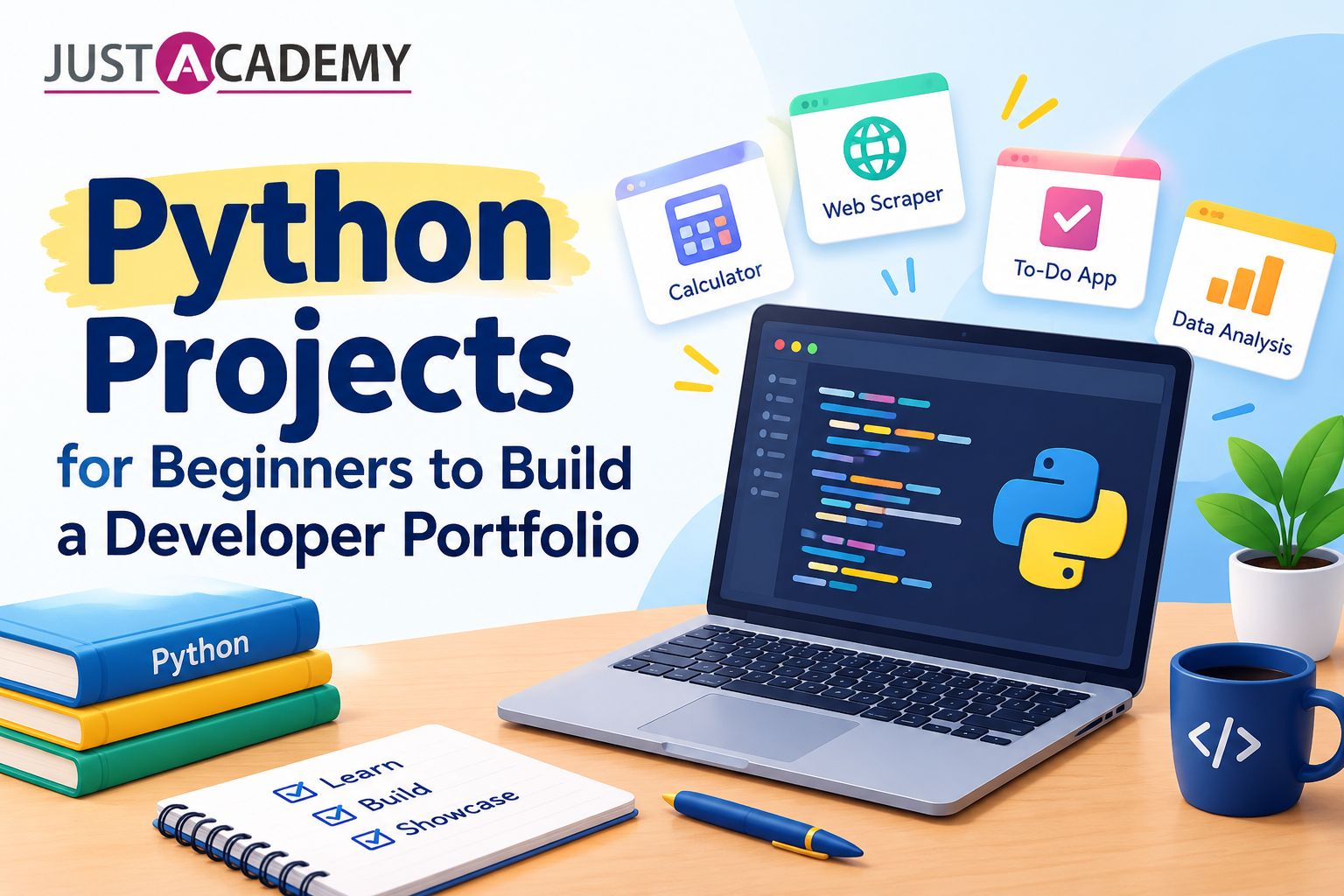
Every learner in Delhi hits the same wall around week three. You have watched the videos, copied the examples, and ticked off loops, lists and functions, yet when someone says “build something,” your screen stays blank. The fix is rarely another tutorial. It is a well chosen beginner project for Python, something small enough to finish and real enough to teach you what a textbook cannot: how to get stuck, get unstuck and keep going.
That is exactly the gap a good Python course in Delhi is designed to close, and it is the philosophy behind everything at JustAcademy, where learners work through live interactive sessions led by instructors who write code in front of them. If you would rather see how it feels before deciding, you can register for a free demo class and watch a real session instead of reading a brochure.
This guide is written for people in Delhi and the wider NCR who are starting from zero or close to it. It walks through why building beats watching, which easy Python projects are worth your evenings, how to move from terminal scripts to data work, APIs and web apps, how to turn all of it into a portfolio that gets opened by recruiters, and how instructor led and mentor led learning can shorten the journey considerably. Read it slowly, pick one idea, and start typing.
Why Building Beats Watching When You Start Python in Delhi
The Tutorial Trap Most Beginners Fall Into
Tutorials feel productive because someone else makes every decision. The instructor picks the problem, chooses the variable names, and fixes the bugs before you see them. You follow along, the code runs, and your brain files the experience under “I understand this.” Then you open a blank file and discover you only understood the narrator.
Psychologists call this the illusion of competence, and it is especially strong in programming. Recognising a correct solution is a very different skill from producing one. A first Python project forces you to make decisions: what should the program ask the user, where should the data live, what happens when someone types a letter instead of a number? Each of those small decisions is a lesson no video can hand you.
Delhi has no shortage of learners who have finished three or four online courses and still feel unqualified. Usually the problem is not intelligence or time. It is that none of those courses made them ship anything. Break that cycle with one tiny, finished program and your confidence changes more than any certificate could manage.
What Project Based Learning Python Actually Does to Your Brain
Project based learning python works because it ties every concept to a reason. A list stops being an abstract container and becomes the place where your expense tracker stores today’s purchases. A dictionary is no longer syntax to memorise but the obvious way to keep a student’s name next to their marks. When a concept solves a problem you personally care about, retention jumps.
Projects also teach the skills tutorials skip: reading error messages without panic, searching for answers effectively, breaking a big idea into small steps, and knowing when something is good enough to move on. These are the habits employers actually mean when they say “problem solving ability.”
If you want a deeper structure around this idea, a hands on Python course that is built around projects from the very first week gives you the same benefit with a guide beside you. That is the difference between learn python project based as a slogan and as an actual teaching method.
Why Delhi Learners Need a Different Plan
Anyone who has commuted across Delhi knows time is the scarcest resource. Between office hours, college lectures and travel on the Metro, long unbroken study blocks are rare. That reality suits project work well, because a good project can be sliced into twenty or thirty minute pieces. Write the input function on Monday, add validation on Tuesday, save to a file on Wednesday.
The job market in the capital also has its own flavour. Delhi NCR is home to startups in Gurugram and Noida, product teams, consultancies, fintech firms and a large service sector that increasingly wants people comfortable with automation and data. A portfolio showing small, working Python tools speaks directly to that market. It says you can already do something useful, which is more persuasive than a list of course names.
Setting Up Your Desk Before the First Line of Code
The Short List of Tools You Actually Need
Beginners often burn a week choosing tools. Skip that. Install the latest stable version of Python from the official site, pick one editor such as Visual Studio Code or PyCharm Community, and make sure you can run a file from the terminal. That is the entire starting kit.
Resist the temptation to install ten extensions or three virtual environment managers on day one. Every extra tool is one more thing that can break and give you a reason to stop. Your first goal is to type print("hello"), save the file and see the result in under five minutes. Everything else can wait until you need it.
When you do reach the point of installing packages, learn the basics of pip and virtual environments properly. A live instructor can show you in ten minutes what takes an afternoon to untangle from forum answers, which is one reason instructor led training pays off for configuration problems in particular.
Folder Habits and Version Control From Day One
Create a single folder called python_projects and give every project its own subfolder with a clear name. Add a short text file in each describing what the program does and how to run it. This feels like unnecessary admin when your code is twenty lines long, but by project five you will be grateful.
Learn Git early, even at a basic level. Initialise a repository, commit when something works, and push to GitHub. Recruiters in Delhi and elsewhere frequently check GitHub before an interview, and a visible history of small, steady commits tells a better story than one giant upload the night before applying.
If Git feels intimidating, that is normal. Ask a mentor to sit with you for one session and walk through commit, branch and push on a real project. After that, it becomes muscle memory rather than a mystery.
Learning to Read Errors Instead of Fearing Them
The first error message you meet will look like a wall of hostile text. It is not. Python tells you the file, the line and the type of mistake, and the last line of any traceback is usually the most useful. Train yourself to read from the bottom up.
Common beginner errors include a missing colon, inconsistent indentation, a variable used before it is defined and a string where a number was expected. Each one has a clear fix once you recognise it. Keep a personal notes file of errors you have solved and what caused them. Over a few weeks it becomes a custom reference guide, tailored to your own habits.
Mentors accelerate this process enormously. Someone experienced can glance at your screen and spot in seconds a problem that would cost you an hour. That is the quiet value of a mentor led session: not that it gives you answers, but that it teaches you how to look.
Easy Python Projects That Quietly Teach the Fundamentals
The Number Guessing Game and Why It Is Still the Best First Build
Almost every list of python projects for beginners includes a guessing game, and for good reason. In about thirty lines you practise variables, input, conditionals, loops and the random module. The computer picks a number between one and one hundred, the player guesses, and the program says higher or lower until they win.
Here is a tiny version to show how little code it takes:
python
import random
secret = random.randint(1, 100)
attempts = 0
while True:
guess = int(input("Guess the number: "))
attempts += 1
if guess < secret:
print("Too low")
elif guess > secret:
print("Too high")
else:
print(f"Correct in {attempts} attempts")
break
Once it works, improve it. Add a limit of seven tries, handle the case where someone types text, and let the player choose a difficulty level. Each extension is a new concept wearing a friendly disguise. This is how simple python projects quietly grow into proper practice.
An Expense Tracker That Feels Personal
Few ideas motivate like a tool you will use yourself. A command line expense tracker asks for an amount, a category and a date, stores each entry, and prints a monthly summary. You touch functions, dictionaries, lists, file handling and string formatting without ever feeling like you are doing an exercise.
Start by saving entries in a plain text file. Later, switch to CSV, then to JSON, and notice how each format changes your code. Add a feature that warns you when spending in a category crosses a limit. Suddenly you are thinking about design: where does the budget logic belong, and how do you keep the code readable?
This is also one of the python projects for students that translates best into an interview conversation. When someone asks what you built, you can describe a real problem, the decisions you made and what you would improve. That narrative matters more than the line count.
A Password Generator and Other Small Utilities Worth Your Evening
A password generator is quick, useful and a gentle introduction to the string and random modules. Let the user choose length and whether to include symbols, then check strength with a simple scoring rule. Other small utilities fit in the same spirit: a unit converter, a basic quiz app, a to do list manager, a word counter, a file renamer for your cluttered downloads folder.
These python small projects share a trait: they finish. Finishing builds momentum, and momentum is the rarest resource a beginner has. Aim to complete one every week or two rather than starting something huge and abandoning it halfway.
Notice also how many of these are fun python projects for beginners rather than dry exercises. Enjoyment is not a distraction from learning. It is the reason you will still be coding in month three when others have quit.
Stepping Into Data With Python Programming Projects for Beginners
Python Programming Projects for Beginners Using CSV Files and Simple Charts
Once loops and functions feel comfortable, data is the natural next step. Python programming projects for beginners that use spreadsheets are especially rewarding because the results are visual and meaningful. Download a public dataset, perhaps air quality readings for Delhi, cricket scores or city bus routes, and read it with the csv module or pandas.
Ask a simple question and answer it with code. Which month had the worst air quality? Which team won the most matches at home? Then draw a bar chart with matplotlib. You have just performed the core loop of data analysis: question, data, answer, picture.
For learners drawn to this path, the Python foundation you build here connects directly to the Data Analytics Bootcamp in Delhi, a live online business analytics program that takes the same instincts into SQL, dashboards and real business problems.
Cleaning Messy Data Without Losing Your Patience
Real data is untidy. Names are spelled three ways, dates arrive in mixed formats, and cells that should contain numbers contain the word “unknown.” Beginners are often surprised that most analysis time goes into cleaning rather than charting.
Treat this as a feature, not a flaw. Cleaning data is superb python practice projects material because it forces you to use strings, conditionals, loops and functions in realistic ways. Write a small script that standardises city names, removes duplicates and fills missing values sensibly. Document each decision in comments.
A mentor can help you here by asking uncomfortable questions: why did you drop those rows, and what bias might that introduce? Those questions are the beginning of analytical thinking, and they are hard to learn alone.
Building a Small Report You Can Show Someone
Finish a data project by producing something a non technical person can read. Export a clean summary to a spreadsheet, save two or three charts as images, and write a paragraph explaining what you found. This habit separates people who can code from people who can communicate with code.
Recruiters and hiring managers rarely care about clever syntax. They care whether you can take messy information and produce a clear answer. A neat one page report from a small dataset demonstrates that more convincingly than a long list of libraries on a resume.
If you enjoy this kind of work, keep a folder of three or four such reports. They become excellent python projects for resume sections later, and they give you something concrete to discuss in interviews.
Growing Into Web Apps, APIs and Graphical Interfaces
Python API Projects That Talk to the Outside World
Python API projects are where programming starts to feel like magic. An API lets your program request information from another service: weather, currency rates, movie details, news headlines. With the requests library, a few lines can pull live data into your terminal.
A weather checker is the classic starting point. Ask for a city name, call a free weather API, parse the JSON response and print temperature and conditions. Then add error handling for misspelled cities and network failures. You will learn about status codes, dictionaries nested inside dictionaries and the importance of reading documentation carefully.
Do not worry if the first attempt fails. API work teaches resilience, because the outside world is unpredictable. That unpredictability is also why live mentor support is so helpful: debugging a failing API call together teaches more than ten articles on the subject.
Python Web Application Projects With Flask
Flask is a friendly way to turn scripts into websites. Python web application projects start tiny: a page that greets the user, then a form that accepts input, then a route that saves it. Within a few sessions you can build a simple notes app, a link shortener or a book recommendation page.
The jump from terminal to browser teaches concepts you will meet in every web career: routes, templates, requests and responses, and the basics of storing data in a database such as SQLite. It also introduces the idea of structure, because a web app with three files already needs thoughtful organisation.
Not everyone enjoys terminals, and that is fine. A gui for python built with Tkinter lets you create windows, buttons and text boxes with the standard library alone. A calculator, a simple timer or a flashcard app is achievable in a weekend.
Graphical projects teach event driven thinking: instead of your program running top to bottom, it waits for the user to click something. This mental shift is useful far beyond Tkinter, since the same idea underlies web pages and mobile apps.
Visible results also help motivation. Showing a working window to a friend or family member provides a satisfaction that a line of terminal text rarely does. Use that feeling. It will carry you through the harder parts of learning.
Turning Practice Into a Portfolio Recruiters in Delhi NCR Will Open
Choosing Python Projects for Resume Sections That Actually Help
Quality beats quantity. Three well explained projects will do more for you than fifteen half finished repositories. When choosing python projects for resume use, aim for variety: one data project, one web or API project and one automation or utility project. That mix shows range without pretending you are a specialist.
For each project, write two or three clear lines: the problem it solves, the tools used and the result. Avoid vague claims. “Built an expense tracker that categorises spending and generates monthly summaries using Python and CSV files” says far more than “made a Python application.”
Think about what a hiring manager in Gurugram or Noida wants to see. They are scanning for evidence that you can learn quickly, finish things and explain your reasoning. Your projects are the proof.
Writing a README That Makes a Stranger Care
A good README is part of the project. Explain what the program does, show a screenshot or sample output, list the steps to install and run it, and mention what you would improve next. Keep the tone friendly and direct.
Many beginners skip this step because it feels less technical than coding. Yet it is often the first thing a recruiter reads. A repository with a clear README and a tidy structure signals professionalism before anyone opens a single file.
Ask a mentor or a peer to read your README and tell you where they got confused. If a stranger cannot run your project from the instructions, the instructions need work. This feedback loop is one of the quiet advantages of mentor led learning environments.
Exploring Python Open Source Projects Without Feeling Overwhelmed
Python open source projects can seem intimidating, but beginners can contribute in small, valuable ways. Fix a typo in documentation, improve an error message, add a missing example. Look for issues labelled “good first issue” on GitHub and read how maintainers handle contributions.
Even if you never merge a pull request, reading well written code is educational. You see how experienced developers name things, organise modules and write tests. Treat it like reading good prose to improve your own writing.
If you are curious how certifications and portfolios work together in a job search, the guide on which Python certificate boosts your career in 2026 offers a grounded view of when credentials help and when projects matter more.
What Live Interactive, Instructor Led and Mentor Led Sessions Change
Why a Live Instructor Beats a Recording When You Are Stuck
A recorded lecture cannot hear your question. It cannot notice the confused look on your face, slow down when a concept is shaky or pivot when you reveal a misunderstanding. A live instructor can do all three, and that responsiveness is the heart of an instructor led session.
In live interactive sessions, you write code while the instructor writes alongside you, and mistakes become shared learning moments instead of private frustrations. When someone in the class hits an error, everyone benefits from watching it get diagnosed. That collective debugging is surprisingly effective and very hard to replicate with videos.
For Delhi learners, live online delivery removes the geography problem completely. You get the energy of a classroom without the commute, and you can attend from home in Dwarka, Rohini, Gurugram or Noida without losing two hours on the road.
The Quiet Power of a Mentor Led Session
An instructor teaches a group. A mentor looks at you. In a mentor led session, someone reviews your actual code, points out habits that will cause trouble later and suggests the next project that fits your pace. The feedback is personal, and personal feedback is where growth accelerates.
Mentors also help with the invisible parts of learning: how to plan your week, when to move on from a topic, what to do when motivation dips, how to prepare for interviews. These conversations rarely appear in a syllabus, yet they often decide whether someone finishes a course or quietly drops out.
A strong mentor also protects you from two opposite mistakes. Some beginners rush ahead and build on shaky foundations, while others stay too long in tutorial mode. A good mentor reads which one you are and adjusts.
Comparing Learning Styles Side by Side
The table below sets out how common learning routes differ for a beginner who wants to build projects.
Factor
Self Study With Videos
Recorded Course
Live Instructor and Mentor Led Training
Doubt resolution
Forums, slow and uncertain
Comment sections or delayed replies
Immediate, during the session
Code review
None
Rare
Regular and personal
Accountability
Depends on willpower
Low
Built in through schedule and cohort
Project guidance
Choose alone
Fixed examples
Tailored to your level
Interview preparation
Self directed
Usually limited
Mock rounds and resume feedback
Placement support
Not available
Occasionally offered
Structured support from the institute
None of these paths is wrong for everyone. But if your goal is a job in the next six to twelve months, the right column gives you the shortest feedback loop, and short feedback loops are what turn effort into skill.
If you would like to experience this format before committing, a free demo class is the easiest way to judge whether the teaching style suits you.
A Sixty Day Plan for Your First Python Projects
Weeks One and Two: Foundations Through Tiny Programs
Spend the first fortnight on the basics, but always through small builds. Write a calculator, a temperature converter and the guessing game. Learn variables, data types, input, conditionals and loops by using them, not by memorising definitions.
Keep sessions short and frequent. Forty five focused minutes a day beats a seven hour marathon on Sunday. Note down every error you meet and how you fixed it. By the end of week two you should be able to write a small program from a blank file without copying anything.
If you are in a live course, this is the stage where instructor led explanations save the most time, because early misconceptions are easy to fix and costly to leave.
Weeks Three to Five: Functions, Files and the Expense Tracker
Now build something with weight. Take the expense tracker idea and implement it properly: functions for each action, a file for storage and a clean menu. Add input validation so the program does not crash when someone types nonsense.
This is where you will feel genuine frustration, and that is a sign you are learning. Break problems into pieces, test each piece separately and use print statements to see what your code is actually doing. When you are stuck for more than thirty minutes, ask for help. Struggling is valuable, but struggling without progress is not.
By the end of week five, push the project to GitHub with a proper README. You now have your first portfolio piece, and you built it yourself.
Weeks Six to Eight: Data, APIs and a Small Web App
The last stretch introduces the bigger ideas. Choose one data project with a public dataset, one API project such as a weather or currency tool, and begin a simple Flask app. You do not need to finish all three perfectly. The aim is exposure to each area so you can discover what excites you.
At the end of sixty days, review your work honestly. Which project did you enjoy most, and which concept still feels shaky? Those answers point to your next direction. Some learners discover a love of data, others of web development, others of automation and testing.
This reflection is also an ideal moment for a mentor conversation, because the right next step depends on your goals, your background and your target role.
Where Python Takes You Next: Careers, Certifications and Bootcamps
Certifications and Credentials That Support Your Projects
Certificates can help, but they work best alongside proof of skill. If you are exploring which credentials are worth the effort, the roundup of top IT certifications that help freshers get jobs gives a realistic overview. Think of certifications as a signal that opens the door and projects as the evidence that keeps it open.
In an interview, a certificate gets you five minutes of attention. A project you can explain in depth gets you thirty. Use both, but invest more of your time in building.
Full Stack and Software Engineering Routes
If web applications excite you, Python can sit at the centre of a full stack career alongside JavaScript front ends and databases. A structured route such as the Full Stack Developer Pro Bootcamp in Delhi takes the habits you form with small projects and stretches them into product level thinking: architecture, teamwork, deployment and shipping real features.
The step from hobby projects to professional engineering is mostly about discipline and collaboration. A bootcamp that combines live sessions, mentoring and placement support compresses that transition considerably.
Testing and Automation as an Underrated Path
Many beginners overlook quality engineering, yet it is a strong career entry point. Python is widely used for test scripts, and learners who enjoy logic and careful checking often thrive there. Automation testing tools such as Selenium pair naturally with Python knowledge.
For learners willing to explore this direction, the Selenium training in Pune is one example of how JustAcademy structures this subject for offline learners, while online sessions extend similar training to people across India, including Delhi.
Whichever route you choose, the foundation is the same: write small programs, finish them, show them and keep going.
Why Structured Training Beats Going It Alone
What a Guided Program Adds That Self Study Cannot
Self study can work, but it demands unusual consistency. Most people lose momentum when a concept becomes difficult, when work gets busy or when no one notices their absence. A structured program supplies rhythm, accountability and a sequence that avoids gaps in knowledge.
The best programs also build projects into the curriculum rather than leaving them as optional extras. You learn a concept, apply it the same week and receive feedback while it is fresh. That cycle is what separates people who finish with a portfolio from those who finish with only notes.
The JustAcademy Approach to Live Interactive Training
JustAcademy is an ISO certified technology training institute based in Mumbai, with classroom branches in Mumbai and Pune and live interactive online courses available across India and globally. Many learners consider it the best course in Mumbai for practical, project driven technology training, and Delhi learners join the same quality of teaching through live online batches.
Sessions are instructor led and supported by mentors who review code, guide projects and prepare learners for interviews. If you prefer classroom learning and can travel, the Python training in Mumbai offers the same curriculum offline. If you are in Delhi, the live online route gives you the same instructors without relocation.
Placement support runs alongside training, covering resume reviews, portfolio guidance and interview practice, because a skill is only valuable once someone is willing to hire it.
How to Choose the Right Course for Your Goals
Before enrolling anywhere, ask five questions. Are the sessions live and interactive, or mostly recorded? Will someone review my code? Are projects part of the syllabus? What kind of placement support is offered? Can I attend a demo first?
Be wary of any program that cannot answer these clearly. Choose one that treats you as a person with goals rather than a seat in a batch. The right fit will feel supportive without being slow, and challenging without being discouraging.
Conclusion
A beginner project for Python is the smallest step that changes everything. It converts passive knowledge into active skill, builds confidence through finished work and gives you something real to show. Start with a guessing game, graduate to an expense tracker, explore data, touch an API, build a little web page and let your portfolio grow one honest project at a time.
For learners in Delhi, the combination of live interactive sessions, instructor led teaching and mentor led feedback can turn that journey from a lonely slog into a steady climb. Whether you eventually move toward data, full stack development or testing, the habits you form now, building, finishing and explaining, will serve you throughout your career.
Ready to take the next step? Book your free demo class and see a live session for yourself, or download the brochure to explore courses, bootcamps and placement support at your own pace.
Why Building Beats Watching When You Start Python in Delhi
Easy Python Projects That Quietly Teach the Fundamentals
What Live Interactive, Instructor Led and Mentor Led Sessions Change
A practical, human guide for Delhi freshers and working professionals who want to walk into every technical, design and HR round with real confidence, backed by live interactive, instructor led and mentor led sessions.
A practical, honest guide to frontend developer skills, the roadmap that actually works, and how live instructor led and mentor led training can get you hired
A practical, no fluff guide to the front end developer skills Delhi employers test for, and how mentor led, live interactive training helps you build them.
A practical, example driven guide to ES6 JavaScript for learners in Delhi who want to write modern code, think like a developer and get job ready with live instructor led and mentor led training
From your first Angular app to real time dashboards, here is a practical, mentor backed list of angular projects for practice, with source code thinking, live interactive sessions and placement support.
From a humble to do list to a Node JS backend, here are the javascript project ideas that actually teach you something and give recruiters a reason to click your GitHub link.
A straight talking guide for Delhi freshers, career switchers and non tech graduates on choosing the right IT certification, and why live interactive, instructor led and mentor led training makes the difference
A grounded, honest guide for Delhi learners on skills, salaries, jobs and the learning path behind each IT career, backed by live, instructor led and mentor led training
Drop us a Query
+91 99871 84296
Available 24x7 for your queries
Want To Connect with us
🚀 Kickstart Your IT Career
with JustAcademy
Learn Industry-Focused Courses with Live Projects & Placement Assistance
Full Stack Java(Java, Spring Boot, Hibernate, REST API, React JS)
Data Analytics(Excel, SQL, Power BI, Python, Tableau)